Personal finance Excel template
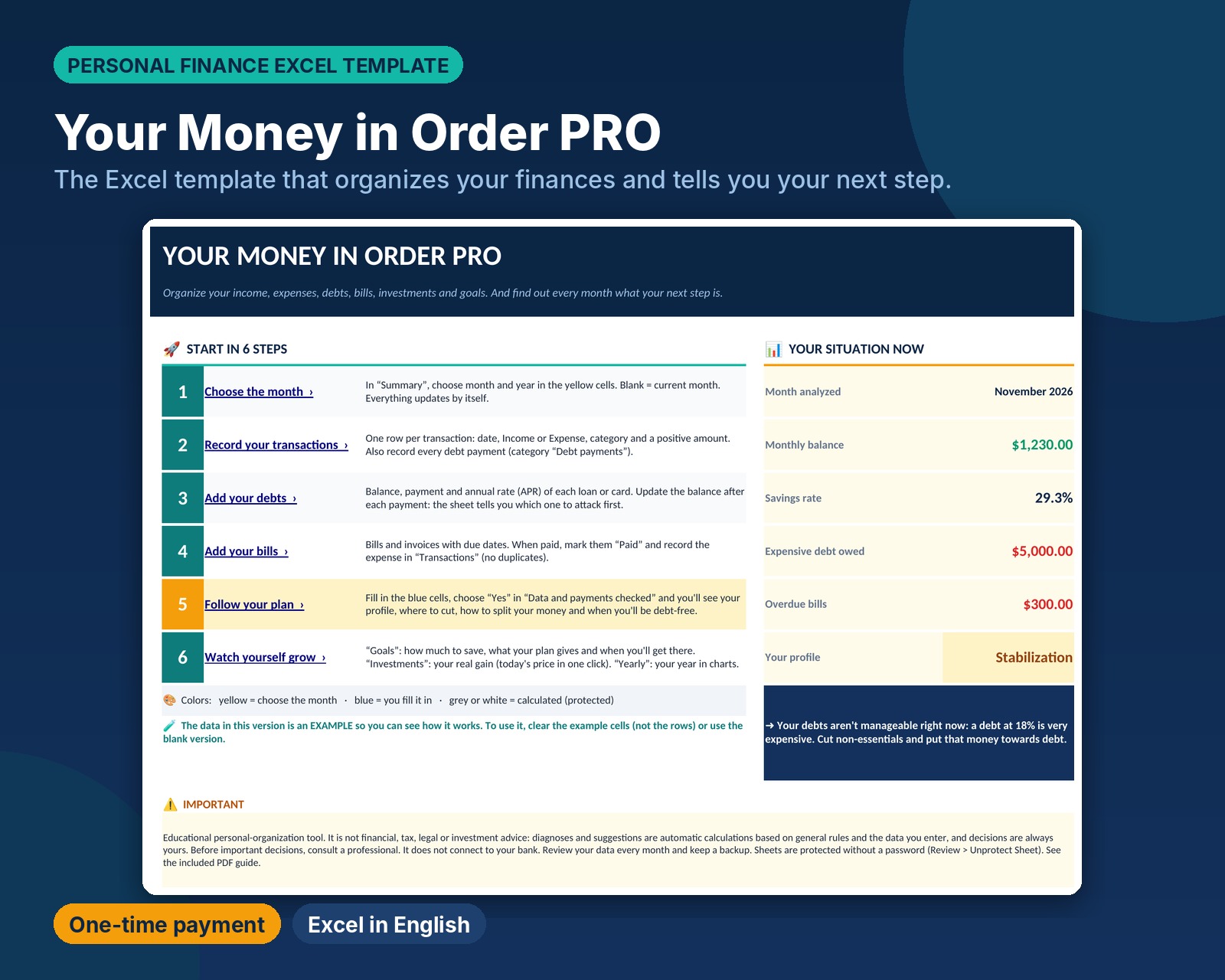
Your Money in Order PRO
The Excel template that organises your finances and tells you your next money move.
€4.90
🚀 Launch price · goes up to €7.90 on February 1
- 9 connected sheets: summary, transactions, debts, bills, goals, investments…
- Automatic green/red check-up every month
- Debt payoff plan with a finish date
- 50/30/20 budget and 16 categories
- Includes a sample version and a PDF guide
🔒 Secure checkout on Payhip · Instant download · No subscription
🎁 Want to look first? Get the free guide →What makes it different
- It tells you whether your debts are manageable: interest, payment load and whether the term is realistic.
- If they are, it puts a fixed share of your surplus toward them and the rest keeps growing: cushion, goals and investing.
- If not, it switches to debt mode: it tells you what to cut and sends that money to the most expensive debt first.
- You'll know when you'll be debt-free, with today's plan and with the cuts.
- Your goals, linked to your plan: how much to save and when you'll get there.
What you can do with it
- Track income and spending in 16 categories with the 50/30/20 rule.
- See your month at a glance with indicators and automatic charts.
- Track bills with due-date alerts.
- Plan your emergency fund and split your surplus.
- Follow your investments: value, gain and annual return.
- See your whole year, month by month.
What's included
- Excel template (.xlsx) with 9 connected sheets.
- Sample version with a full year of fictional data.
- Step-by-step PDF user guide.
Requirements
- Microsoft Excel for desktop 2016 or later (including Microsoft 365). Windows recommended.
- Full functionality not guaranteed in Google Sheets, LibreOffice, Numbers or mobile apps.
- Personal use. Excel licence not included.
FAQ
How do I get the product?
After paying on Payhip you get an email with download links, and you can download right away from the confirmation page.
Is it a one-time payment?
Yes. Pay once and it's yours. No subscriptions.
Do I need Excel skills?
No. Fill in the blue cells and everything else is calculated. Formulas are protected.
Do I have to connect my bank?
No. Your data stays in your file, on your computer.
Is this financial advice?
No. It's an educational and personal organisation tool; decisions are always yours.
Educational and personal organisation tool. Not financial advice.